History
History lists the chat sessions that your gateways routed. Each row is one session, made of one or more entries. An entry is one model request and its result.
Before you start
- You need
history:readto see sessions. To read retained prompts and responses, you also needai_usage_stream:read. To edit tags, you needhistory:write. - The gateway must capture history. History capture is set in the
history.captureblock of the policy config. See Runtime configuration. - An empty History does not mean that the gateway received no requests. Capture can be off, or the retention period can be over.
Find a session
- Open History.
- Type in the search field. You can use free text, or
field:valuefilters, for example:type:chatstatus:blockedorblocked:trueagent:support-appentries:>5started:todayorupdated:>2026-01-01
- Optionally select a time range. To start again, select Clear filters.
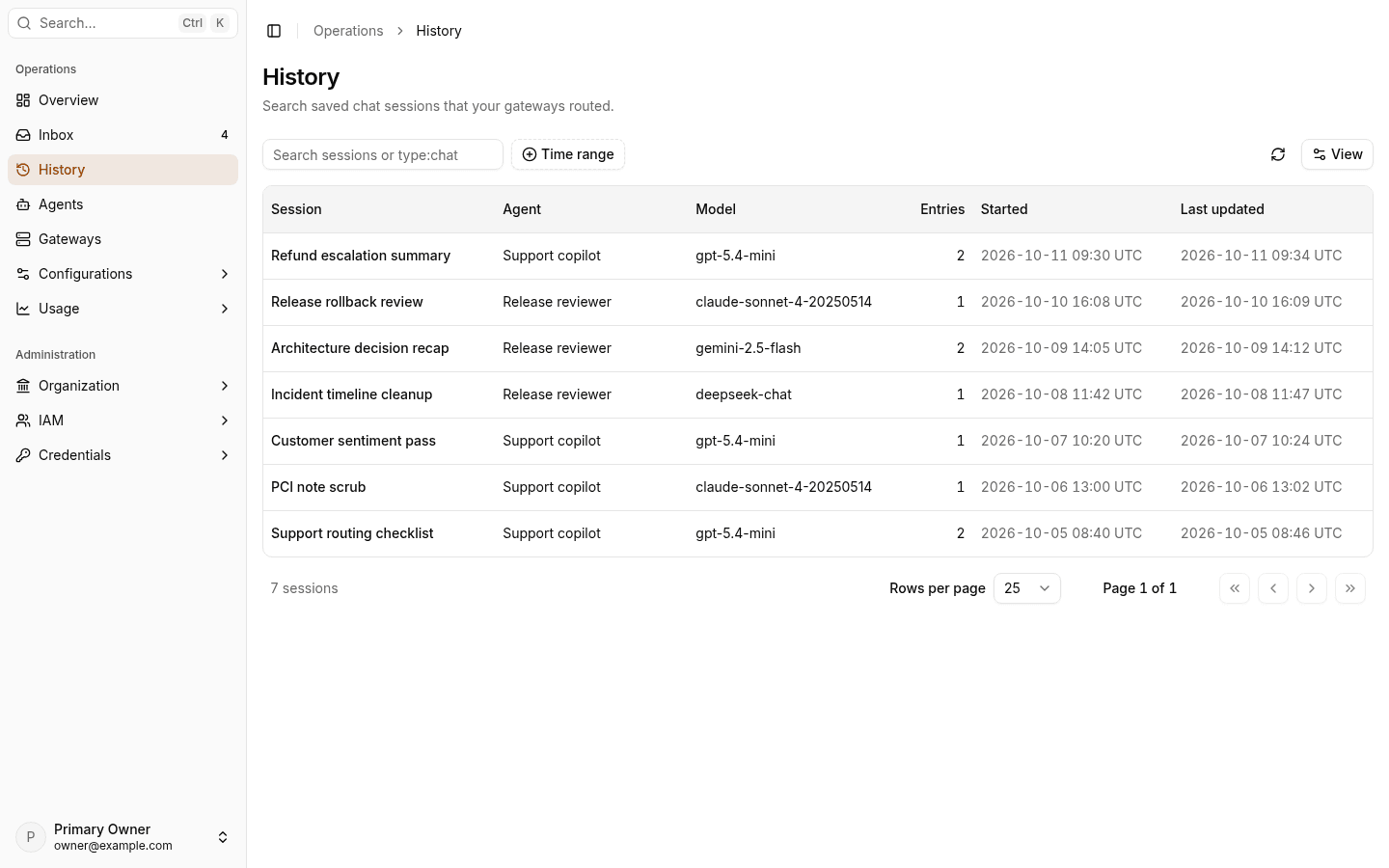
The table shows Session, Agent, Model, Entries, Started, and Last updated. You can show more columns, such as Gateway, User, Team, Allowed, Blocked, and Tags.
Read a session
- Select a session. Session details shows the agent, actor, team, entries, tokens, and gateway.
- In Entry timeline, select an entry to see its request, response, and Audit facts, such as Decision, Provider, Model, and Token usage.
- To read the retained conversation, select Show conversation. If nothing was retained, the Console shows No conversation was retained for this session.
History has no export button. To export sessions, use verdictan history export.
Next steps
- Investigate a blocked request: find the decision for one request.
- Inbox: review escalations.
- verdictan history: list, read, and export sessions from a terminal.