Inbox
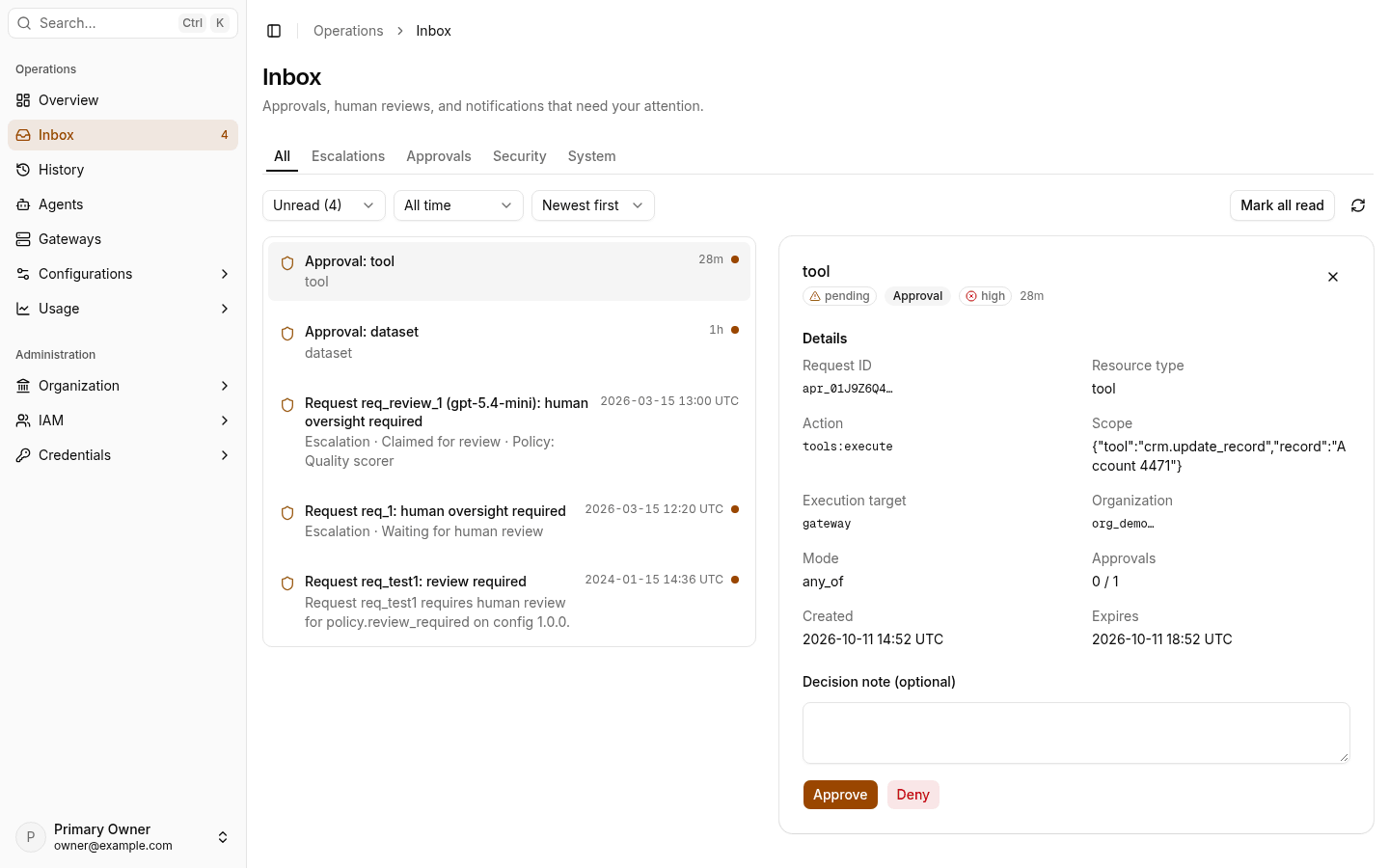
Inbox is the Console queue for work that needs a person: escalations, approvals, and security and system notifications. Select an item in the list to open it in the detail panel.
Before you start
- Sign in to the Console in the region of the gateway that made the item.
- To read items, you need
escalations:read,approvals:read, ornotifications:readfor each kind of item. - To act on items, you need
escalations:claimandescalations:resolvefor escalations, orapprovals:writefor approvals.
Find an item
- Open Inbox.
- Select a tab: All, Escalations, Approvals, Security, or System.
- To limit the list, set the status (All, Unread, or Read), the time range, and the sort order.
- Select the item. The detail panel shows its details and actions.
When filters hide every item, the list shows No items match these filters. Change or clear the filters.
Resolve an escalation
An escalation item has the title Escalation: and the reason. Its status is Waiting for human review, Claimed for review, or Review resolved.
- Select Claim. Only the person who claimed an escalation can resolve it.
- Read Request context, Details, and Related events.
- Select Resolve, select a Resolution, and optionally a Category and Notes. Then select Submit. Reject records a rejection with no note.
To give the item back to the queue, select Unclaim. For the full procedure, see Resolve an escalation.
Approve or deny an approval
An approval item has the title Approval: and the resource kind. Near expiration shows when the approval expires soon.
- Read Resource type, Action, Scope, Approvals (the number received and the number required), and Expires.
- Optionally enter a Decision note.
- Select Approve or Deny.
Read a notification
Select a security or system notification to read its trace summary and related links. Select Mark as read, or select Mark all read for the full list. To change which notifications you get, see Notifications.
Next steps
- Resolve an escalation: the full review procedure.
- History: see the session of a request.
- Notifications: set email and quiet hours.