Policies
Roll Out a New Template
A template is a starter policy-config.yaml with tests, built for a domain such as healthcare or finance. It is not ready to use as it comes: you still add your model routes, credentials, and test cases, test it on one gateway, and only then deploy it more widely.
To change a configuration that already runs, follow Managing Policy Changes instead.
Before you start
- The Verdictan CLI, signed in with
verdictan auth loginor withVERDICTAN_API_TOKENset, so thatverdictan initcan load templates. - A test agent and gateway that work, from the quickstart, with its gateway runtime token and a separate client API token for test requests.
- Provider credentials in environment variables or
secret_key_refentries, never in the file. - Console access to Configurations, Gateways, History, Inbox, and Trail, with permission to deploy to the test agent.
Select the template
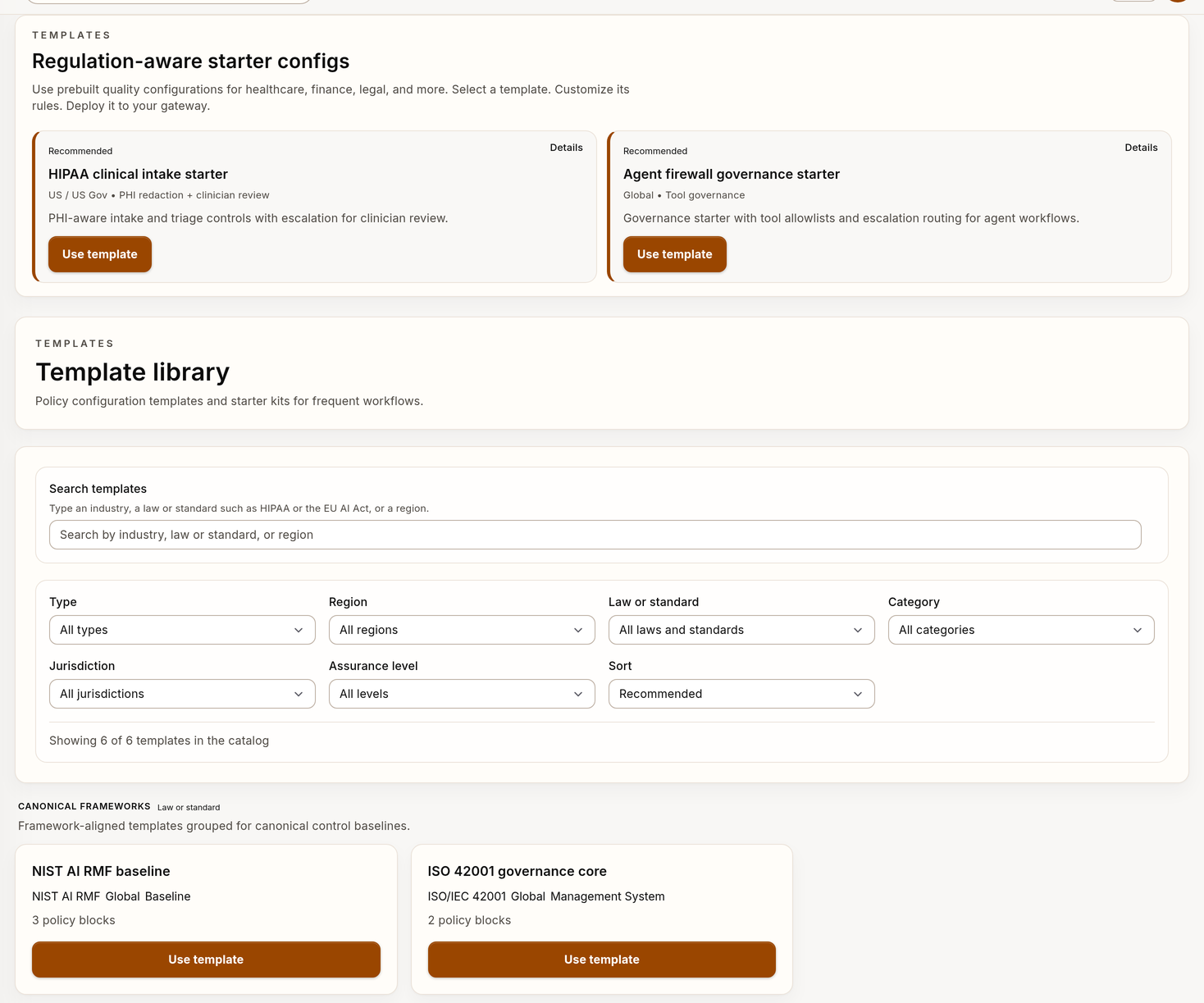
- Browse the public Templates catalog, or Configurations → Templates in the Console.
- Compare policy goals, provider assumptions, human review behavior, and what you would have to change.
- Pick the closest one and note its ID.
Templates are starting points for review. They are not certifications, legal advice, or proof of compliance with any framework. Your deployed configuration, provider contract, controls, and evidence define what you actually enforce.
Initialize and edit the policy config
-
List the templates your CLI can load, and check that your ID is there:
verdictan init --listIf it is missing, fix the API token, the API URL, or the template availability. Do not use a template with a similar name instead, because it can have different controls.
-
Initialize the pack and go into it:
verdictan init --template <template-id> --dir ./verdictan-template cd ./verdictan-template -
Read the generated
policy-config.yamlbefore you change anything. -
Set the provider targets, models, regions, and secret references for your environment.
-
Review the action and threshold of each control. Remove controls that do not apply and add any that are missing.
-
Add allow, block, redact, and escalate cases from your application to
tests/.
The Declarative Config Reference explains each field.
Lint and test the pack
verdictan policy lint --file policy-config.yaml
verdictan policy test --json
Lint checks the structure. policy test runs the cases in tests/ and testing.suites. A run with no cases proves nothing, and neither command checks provider connections, production identity, or compliance.
If your team keeps versions in the Console, open Configurations after the local checks, and save a version with a description of the change.
Apply the config to a gateway
- Use a test agent and gateway that serve no customer traffic.
- Restart the gateway with the provider variables that the template's targets name.
- Set a new
pack.versionin./verdictan-template/policy-config.yaml. Deploy the file to the test agent in Configurations. Wait for the gateway log lineconnected read model refresh applied updated configwith thatconfig_version. Try the change on a test gateway has the steps. With the quickstart in Docker, follow the container steps on that page instead. - Send the test requests below.
- When the tests pass, import the same file in Configurations. Deploy it to the agent of the chosen gateways. Check the gateway count before you confirm.
The runtime token belongs to the gateway, the application token sends test requests, and your signed-in CLI profile reads events. Keep them separate.
For a terminal workflow, use Deploy from the CLI with CLI 0.1.14 or later.
Run the command from ./verdictan-template. Select the test gateway first.
After its requests pass, deploy the same file to the production targets.
Verify
With gateway 0.1.14 or later, wait for In sync in Gateways. See Verify the deployment for the status meanings and the checks for older gateways. Then verify the template behavior:
-
Send one request for each case in
tests/through the gateway with a client API token. -
Read the decisions with your signed-in CLI profile or an API token with
events:read, never the runtime token:verdictan events tail --since 10m --json -
Check that each
verdictandreason_codeis what the case expects. -
If the file turns on History capture, read the sessions in History.
-
If the template adds human review, check that the escalations appear in Inbox.
-
Find the audit record of the configuration change in Trail.
When the behavior matches your intent, record the rollout and its owners. If you see false positives or too many reviews, narrow the scope and repeat from Lint and test the pack.
Troubleshooting
| Problem | Cause | Action |
|---|---|---|
verdictan init --list does not show the template | Wrong API token, wrong API URL, or the template is not available | Fix the profile and list again. Do not pick a template with a similar name. |
verdictan policy lint fails | The file does not match the schema | Fix the reported field with the Declarative Config Reference. |
verdictan policy test fails | A case does not match what the configuration does | Fix the case or the control. |
The gateway log shows another config_version | The deployment went to another agent, or the gateway cannot reach the control plane | Check the agent that you deployed to. Check that /readyz on the gateway returns "status": "ready". |
verdictan events tail prints No events found. | The client used another gateway, or the window is too short | Check the client base URL and port, then increase --since. |
Next steps
- Configurations: save, compare, and deploy versions.
- Managing Policy Changes: change or roll back after the rollout.
- verdictan init: all options of the template initializer.